Need Business Cards by Thursday? Rush Orders and Expedited Shipping in Brandly
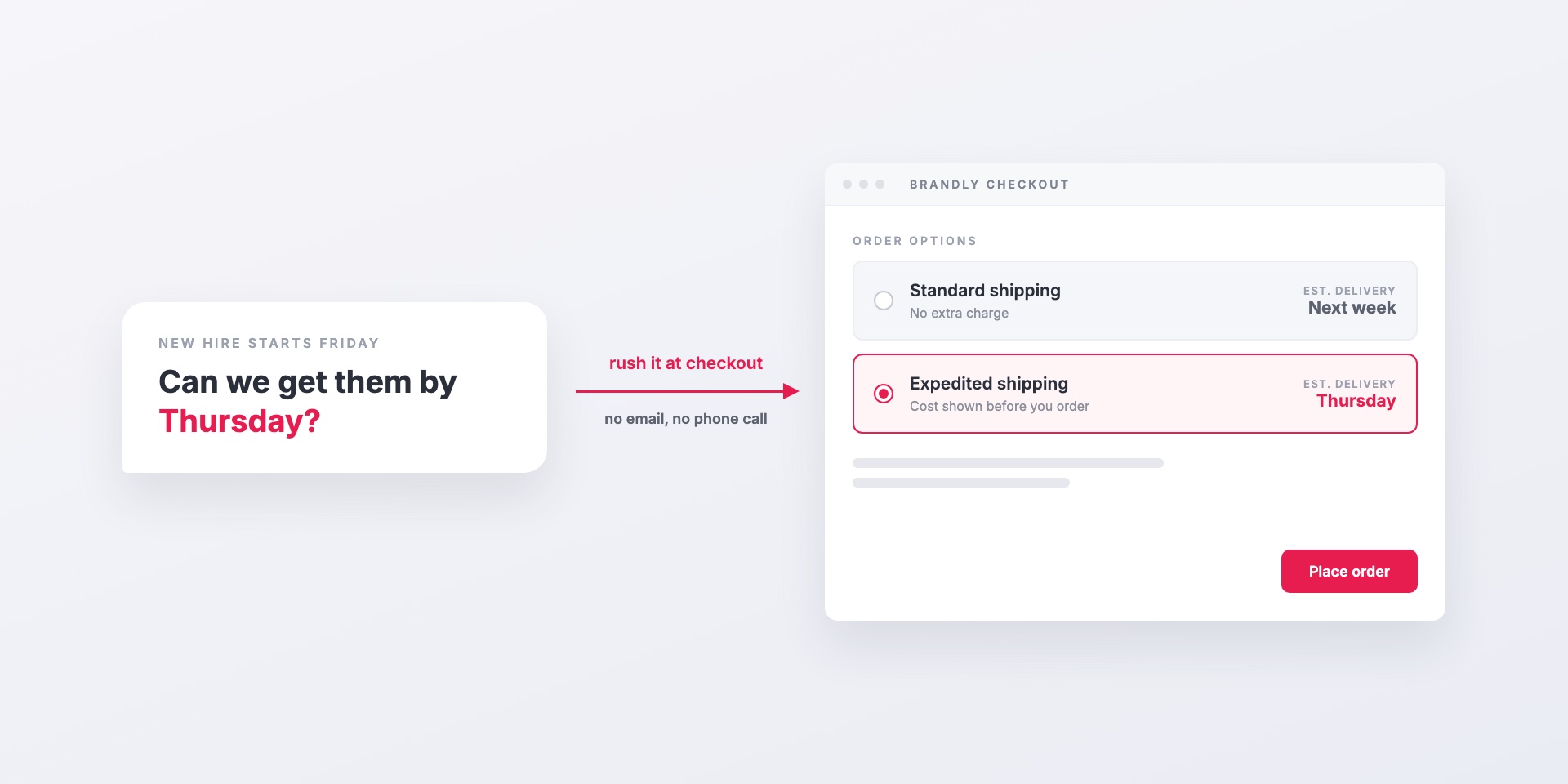
“Great, but what if we need them Thursday?”
Someone usually asks this right after a team sees how a business card portal works. Maybe a new sales hire starts Monday, or the booth goes up at a conference next week. Standard delivery is 7–10 business days to most U.S. locations, which covers most orders but not every one.
You can get cards faster. Brandly lets your team expedite an order at checkout, or tell us the date the cards are needed, without emailing anyone or making a phone call.
Rush options at checkout
When rush options are turned on for your portal, the checkout page has an Order Options section with an Expedite/rush options link. What it shows depends on whether we can calculate delivery dates for that order.
When delivery dates are known
You see two choices side by side, each with an estimated delivery date:
- Standard shipping, at no extra charge
- Expedited shipping, with the extra cost shown
Pick the one that gets the cards there in time. The cost is on the screen before you place the order, so nobody is surprised by the invoice.
When you have a deadline
For some orders we can’t show an exact date upfront. In that case you can do two things:
- Deliver on or before a date. Enter the day the cards need to arrive. Brandly will contact you to confirm the order can be delivered by then.
- Pre-approve expedited next-day shipping. Check this box to approve the faster shipping charge in advance, so we can upgrade the shipment right away if the deadline needs it.
If expedited shipping isn’t possible for a particular order, checkout tells you before you submit. You won’t learn about it after the deadline has passed.
Changing your mind after you order
Sometimes you only find out about the deadline after the order is placed. Open the order in your dashboard and click the edit icon next to Ship Method. You can switch to expedited shipping or add a needed-by date there, then save.
If it’s the other way around and the order shouldn’t go out at all, you can still stop it before it goes to production.
Who can rush an order
Rushing costs money, so you decide who gets the option. Each portal has one of three settings:
| Setting | Who sees rush options |
|---|---|
| Disabled | Nobody. Every order ships standard. |
| Admins only | Portal admins can expedite. Everyone else orders standard. |
| All users | Anyone on the team can expedite their own order. |
Most teams choose admins only. The office manager or marketing lead can handle a real emergency, and nobody upgrades shipping on every order by default. A smaller team where people order their own cards might choose all users. You can view your current setting under Settings > Shipping. To change it, contact us.
Your other rules still apply to rushed orders. Approvals, locked template fields and group permissions work the same way. A rushed order skips the wait, but it doesn’t skip your brand controls.
Getting the timing right
Expedited shipping shortens the time in transit. It doesn’t remove the steps before the order ships. A few habits help cards arrive on time:
- Order as soon as you know. A Thursday deadline set on Monday is much easier to meet than one set Wednesday afternoon.
- Approve proofs quickly. If your portal requires approval, a rush order is only as fast as the approver. Tell them it’s coming.
- Enter the real date. If you use Deliver on or before, put the date the cards are needed in someone’s hands. We’ll tell you if it’s tight.
- Plan for new hires. If a start date is the reason for most of your rushes, order cards when the offer is signed. Our post on giving business cards to your employees covers how to build that into onboarding.
Where to start
If your portal doesn’t show rush options yet, or you’d like to change who can use them, contact us and we’ll set it up. If an event is the reason for the deadline, our tradeshow preparation guide has a checklist that starts early enough that you may not need to rush.
Set Up Your Free Business Card Portal
Get Started