Business Cards for Employees: 7 Benefits and How to Roll Them Out
Why companies give business cards to their employees, including cards that can be left behind and mark a new hire as part of the team, how QR codes make them more useful, which roles need them most, and how to roll out matching cards to a whole team.
 By Brandly Team
Learn
On this page
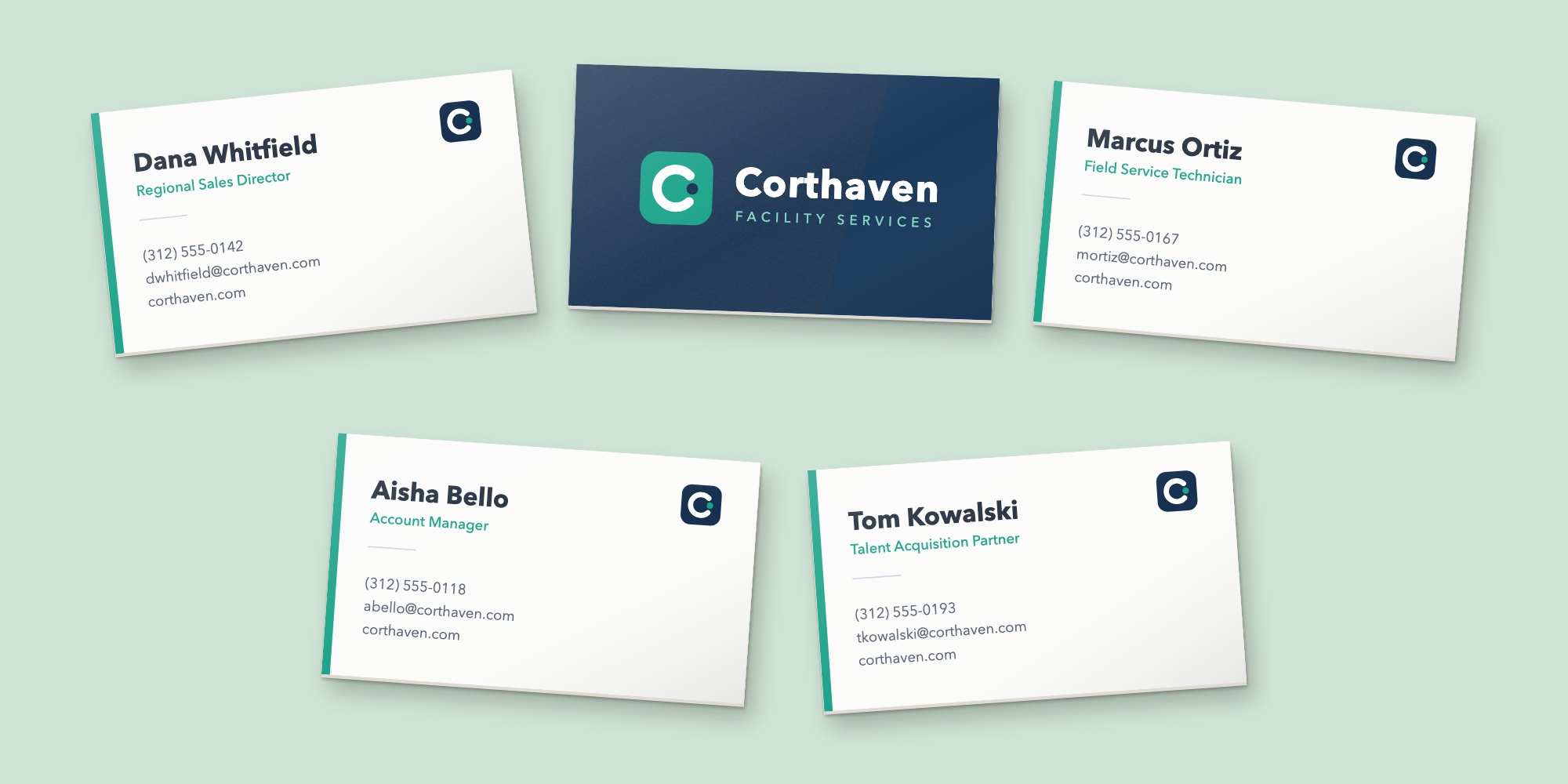
Giving every customer-facing employee a business card makes your company look established, makes it easy for people to contact your team, and puts your brand in front of everyone they meet. Unlike a digital card, a paper card can be left behind for someone you didn’t get to meet, and it’s a visible sign that a new hire has officially joined the team. The key is a single approved design, so every card matches, and an easy way for employees to order their own.
Business cards cost very little per person, and for anyone who meets people outside the company, they do a lot. This guide covers the benefits, which roles need cards most, and how to give matching cards to a whole team without turning it into a project.
Ordering for a team? Open a free business card portal and let employees order their own cards from your approved design.
7 benefits of business cards for employees
1. Your company looks established
A well-printed card with a name, a title and a company logo tells people they’re dealing with a real company and a real role. Not having one when everyone else at the table does stands out, and not in a good way.
2. Swapping details takes seconds
At a site visit, a trade show or the end of a meeting, handing over a card is quicker than spelling out an email address or finding each other on a phone. Phone numbers and emails are typed in correctly, because nobody has to type them from memory.
3. People remember who they met
After a day of meetings, a card is what reminds someone who you were and why they should call. Many people write a note on the back about what you discussed, and a card on their desk keeps your company in front of them.
4. Your brand reaches more people
Every card an employee hands out puts your logo, colors and website in front of someone new. With 50 people each handing out a few cards a week, that adds up to thousands of branded touchpoints a year at very little cost.
5. A card can be left behind
A digital card only works when both people are standing there with their phones out. A paper card keeps working when you’re not in the room. Employees can leave one with a receptionist, tuck one into a proposal or a delivery, leave one on a desk after a site visit, or slip one under a door with “Sorry I missed you” written on the back. Whoever finds it later knows exactly who stopped by and how to reach them.
For real estate agents, this is a big one: cards on the counter at an open house keep working for every visitor, including the ones the agent never got to talk to. See real estate business cards.
6. A card marks that someone has joined the team
Handing a new hire a box of cards with their name, title and the company’s logo is a small ceremony that says “you’re officially one of us.” People notice it, especially in their first week.
It helps on the HR side too:
- It’s a visible onboarding milestone. Cards ordered at offer and waiting on day one tell the new hire, and their colleagues, that the company was ready for them.
- It shows the person is authorized to represent the company. For field technicians, inspectors and anyone who visits customers, a company card is a quick way for the customer to check who they’re dealing with.
- It keeps titles official. When cards come from an approved template with titles set by HR, nobody prints a title they don’t have.
- It closes cleanly. When someone leaves, you remove them from the portal, so nobody can reorder cards for a job they no longer hold.
7. Conversations turn into leads
A card makes the next step easy: the contact can call, email or scan a QR code straight to the employee’s details. For sales, recruiting and account management, that follow-up is where the business comes from.
Why QR codes make business cards more useful
The usual argument against business cards is that everyone has a phone now. A QR code turns that around: the card becomes the quickest way to get someone’s details into that phone. One scan replaces typing a name, number and email, and the printed card stays on the desk as a reminder.
A QR code also fixes the two biggest weaknesses of a printed card:
- Details go out of date. People change titles, numbers and offices. A QR code that points to a contact page, rather than storing the details in the code itself, can be updated after the cards are printed, so the cards people already handed out stay correct.
- Space is limited. A card has room for a name, title and a few contact lines. The page behind the code can add a photo, LinkedIn, an office address and more.
| No QR code | Plain QR code | vCard+ QR code | |
|---|---|---|---|
| Saving the contact | Typed in by hand | Opens a link, or saves details fixed in the code | Opens the employee’s page, and Add Contact saves it with a photo |
| When details change | Reprint | Reprint | Update the page, no reprint |
| Photo and social links | No | No | Yes |
| Brand control | Template | Template | Template, plus page designs set by admins |
vCard+ is Brandly’s version: admins add the QR code to the card template once, and each employee’s card gets their own code when they order. The person scanning doesn’t need an app.
To make sure the code gets scanned, print it at least 0.8 inches (20 mm) square and add a short label such as “Scan to save my contact.” See how small QR codes can be on business cards.
Which employees need business cards?
Not everyone needs a card. Focus on people who meet customers, partners or candidates in person.
| Role | Why they need cards | Typical quantity |
|---|---|---|
| Sales and business development | Meetings, events and prospecting | 500 or more |
| Account and customer success managers | Visits and quarterly reviews with clients | 250 |
| Field service and installation teams | Leave a card so customers can call back for service | 250 to 500 |
| Recruiters | Career fairs, campus visits and candidate meetings | 500 or more |
| Executives and partners | Board, investor and partner meetings | 250 |
| Office and back-office staff | Rarely meet anyone outside the company | Often not needed |
How to roll out business cards to a whole team
Giving cards to a few people is easy. Giving matching cards to 50 or 500 people across several offices is where it gets messy, with designs that drift, wrong titles and emails chasing approvals. Here’s how to keep it simple.
Start with one approved design
Create one template for the company, or one for each brand or division. Lock the logo, colors and layout so only the employee’s details can change. Every card then matches, whoever orders it. If you want a QR code on the back, add it to the template now, so every employee gets one automatically. For what to include, see what to put on a business card.
Let employees order their own
With a business card portal, employees sign in, type their name, title and contact details into your template and see a proof before they order. Nobody has to collect details in a spreadsheet or send files to a designer.
Approve orders before they print
Turn on approvals so a manager or marketing checks each order before it goes to print. Saved orders make reordering a couple of clicks when someone runs out. If your company buys through Coupa or SAP Ariba, the portal can also connect to your procurement system.
Build cards into onboarding
For customer-facing roles, order cards when the offer is signed, so they’re waiting on the new hire’s desk on day one. Add it to the onboarding checklist next to the laptop and the email account. If a start date sneaks up on you, rush printing can get cards there faster.
For more on managing cards for a big team, see how to order business cards online for your team.
- Pick who gets cards by role, not by seniority.
- Use one locked template so every card matches.
- Add a QR code so contacts save in one scan and stay current.
- Let employees order their own cards from that template.
- Approve orders before they print, and make reorders easy.
- Order for new hires as soon as the offer is signed.
Business cards for employees FAQs
Do employees still need business cards?
Anyone who meets customers, partners or candidates in person does. A card is the fastest way to swap details at a meeting, a site visit or an event, and it keeps working after the conversation ends. With a QR code, it also saves the employee’s details straight to the other person’s phone. People who never meet anyone outside the company can usually skip them.
Who should pay for employee business cards?
The company. Cards carry the company’s brand, so the company should pay for them and control the design. When employees buy their own, you get mismatched designs and expense reports for small amounts.
How many business cards should each employee get?
A box of 250 lasts most people a year or more. Salespeople, recruiters and anyone who works events often need 500 or more. It’s better to start small and make reordering easy than to order thousands that go out of date when a title changes.
Should new hires get business cards on day one?
For customer-facing roles, yes. Order when the offer is signed, so the cards arrive before the start date. A card with their name and the company’s logo is a visible sign they’ve officially joined the team, and it lets them start meeting people straight away.
What should be on an employee business card?
The employee’s name, job title, phone, email and the company’s logo and website. Many companies add a QR code that saves the contact to a phone. Everything else stays the same on every card, so the whole team looks consistent.
The takeaway
For anyone who meets people outside the company, a business card makes your company look established, makes follow-up easy and spreads your brand. The hard part is giving matching cards to a whole team, and that’s solved with one locked design, employee self-ordering and approvals.
Set Up Your Free Business Card Portal
Get Started